
Scent intensity (ScentAir Direct & ScentAir Stream)Updated 3 days ago
We control Scent Intensity by adjusting Scent Time and Scent Level.
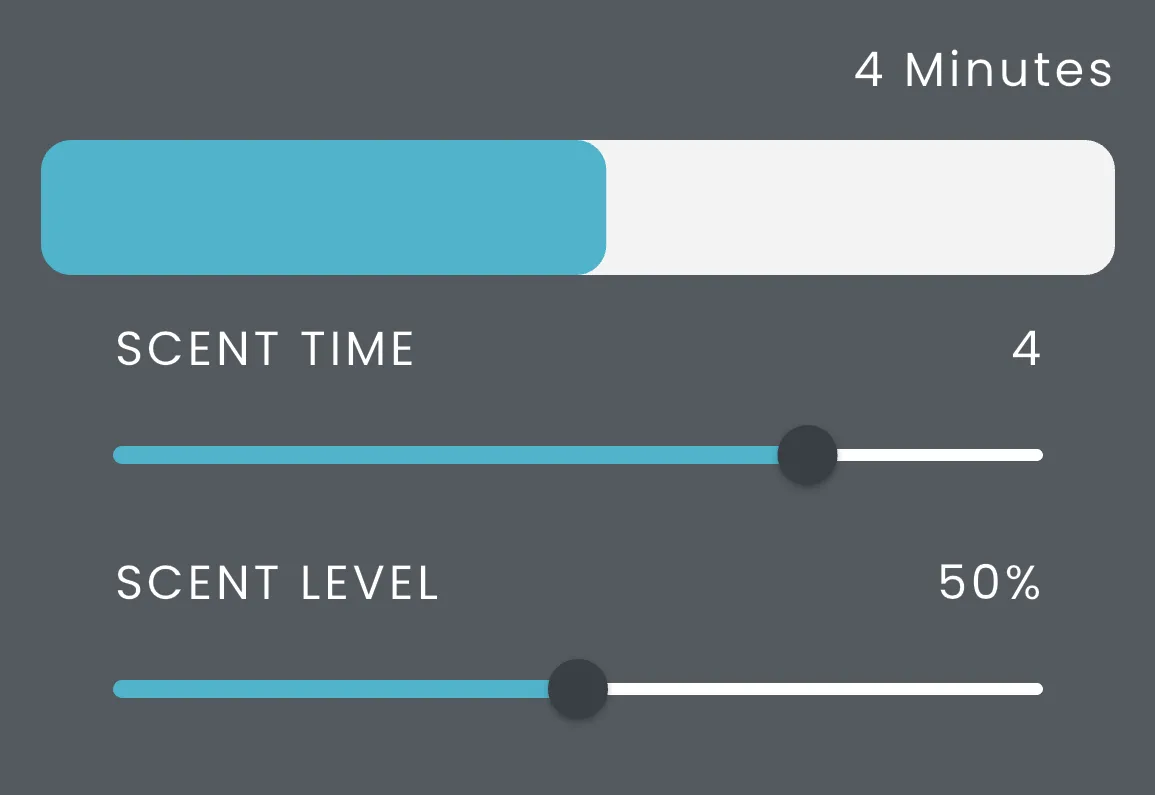
- Scent Time is the overall time of a one fragrance release, in our example that is 4 minutes.
- Scent Level modifies the Scent Time into Active Scenting and Rest periods. Our example shows we have a 4 minute Scent Time with a 50% Scent Level. Therefore our diffuser will scent for 2 minutes (50% of 4 minutes) and rest for 2 minutes.
- This 4 minute window will then repeat for the duration of your schedule. For example if your schedule is set from 8AM-4PM the diffuser will scent for the duration of the set schedule but will run in increments of 2 minutes on 2 minutes off if the Scent Time is 4 minutes and Scent Level is 50%.
- This give you the flexibility to have fragrance releases depending on your target area.
- If you set the Scent Time to 1 minute, it is great for a high traffic area such as a lobby. This allows customers to experience your scent as they enter a space.
- If you set the Scent Time to 5 minutes, it is great for areas where your audience is sticking around for longer, such as a showroom or office. This allows customers to have a refreshing burst of fragrance periodically without becoming nose blind or overwhelmed.
- If you set the Scent Time to 1 minute, it is great for a high traffic area such as a lobby. This allows customers to experience your scent as they enter a space.
