Bluetooth setupUpdated 16 days ago
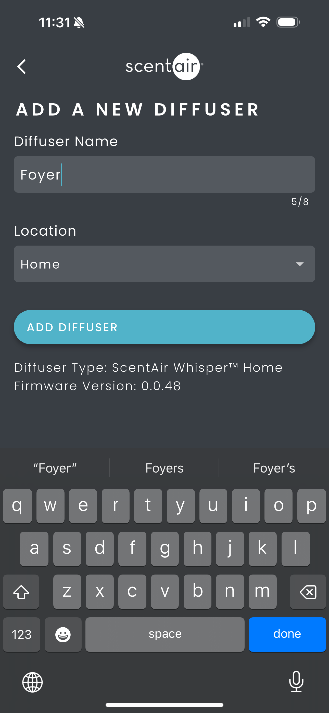
1. Give your diffuser a name (e.g., “Foyer”). (Note: Bluetooth names must be 8 characters or fewer.)

2. Confirm the correct location and tap Add Diffuser.
3. You’ll be offered a suggested schedule based on your room size. Select your room size or tap Skip to set one later.

- Choose your preferred time window and days of the week.

- Tap Save Scent Schedule.
- Your diffuser is now set up with Bluetooth. Schedules are saved directly on the device and will continue running even when your phone is away.